Tools
Articles under category: Tools.
Spreadsheet problem generator part IV: formatting date and time
Date and time are information that can appear in word problems but are not readily convertible to numerical data that we can subject in mathematical computation. Of course, we know how to do it. It is one of the daily life tasks that the students need to learn. Constructing a spreadsheet problem generator with date and clock time as given values are a little more complicated than the usual numerical data but very much feasible.
[ 2 Comments ] Posted by Greten on 20 Sep 2019 under Tools
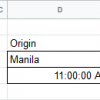
Spreadsheet problem generator part III: concatenate cells with special number format
When you concatenate text and cell references to construct a spreadsheet word problem, the cell format from the cell source does not carry over to the concatenated text. You need to format the data from the cell references using the TEXT function.
[ No Comments ] Posted by Greten on 11 Aug 2019 under Tools

Hide and lock: working on several slide objects in Captivate
Use the yellow dots on the left part of the timeline to make the objects locked or hidden. This will allow you to temporarily ignore the objects that are not your current concerns while you can focus on particular slide objects that you need to move or modify.
[ No Comments ] Posted by Greten on 28 Jul 2019 under Tools
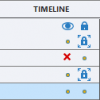
How to use the Captivate timeline?
Use the timeline in Adobe Captivate to control how the slide objects will play-out as seen by the learners in a published learning module. Each slide object has a corresponding timeline bar that determines how long it stays on the slide and when it will appear or disappear. You can also use the timeline to control which objects will be on top and bottom of the others.
[ No Comments ] Posted by Greten on 20 Jul 2019 under Tools

Spreadsheet problem generator part II: formatting units with special characters
Part I shows how to construct a problem generator in spreadsheet applications such as Calc, Excel, and Sheets. The units are easy to enter because they are made of of letters. However, some units contains superscripts, such as the units of volume (cm³) and acceleration (m/s²), while there are others that contain Greek letters and others that are not readily available from the keyboard. This post is about making a spreadsheet problem generator with those units.
[ 2 Comments ] Posted by Greten on 06 Jul 2019 under Tools
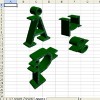
How to use highlight box in Captivate?
The highlight box is a rectangle that can draw the learners’ attention to a part of a static image on the slide, such as pictures, illustrations, and diagram. The highlight box is very similar to the rectangle under smart shapes except that you can configure it to darken everything outside while remaining clear inside.
[ No Comments ] Posted by Greten on 19 May 2019 under Tools

How to insert and customize shapes in Captivate
Shapes are among the useful features of Captivate. Put them on your slides to create charts, diagrams, and other visual elements that can help in your elearning. You can customize them in several different ways to suit your instructional design.
[ No Comments ] Posted by Greten on 03 May 2019 under Tools

Resizing, repositioning, rotating, and flipping slide objects in Captivate
There are several visual elements in Adobe Captivate that serves different functions. Most of the objects that you can put on the slide and can be resized, repositioned, rotated, or flipped have these attributes represented as numerical values. You can read and edit these values on Options tab under Properties.
[ No Comments ] Posted by Greten on 29 Apr 2019 under Tools

Fundamentals of Adobe Captivate
Adobe Captivate is one of the most popular elearning authoring applications. It has a wide array of tools that allow for fast development of learning presentation and interactive activities.
[ No Comments ] Posted by Greten on 20 Feb 2019 under Tools

What is a learning management system (LMS)?
A learning management system or LMS is a common staple in elearning. It is an online system that allows teachers or facilitators to organize learning content, provide assessment, and track the progress of learners. It allows learners to access learning content, take assessment, and obtain immediate feedback.
[ No Comments ] Posted by Greten on 16 Dec 2018 under Terms, Tools